AI plan import
Drop the whole plan set — pages are assigned to floors automatically.

Import your plan set, let LoRaMapper predict coverage from walls and ceilings, measure with your team and compare reality against the plan — floor by floor, in 2D and 3D, indoors and outdoors.
No installation — runs in your browser. Invoice billing for CH/EU.
One continuous workflow — every step builds on the previous one.
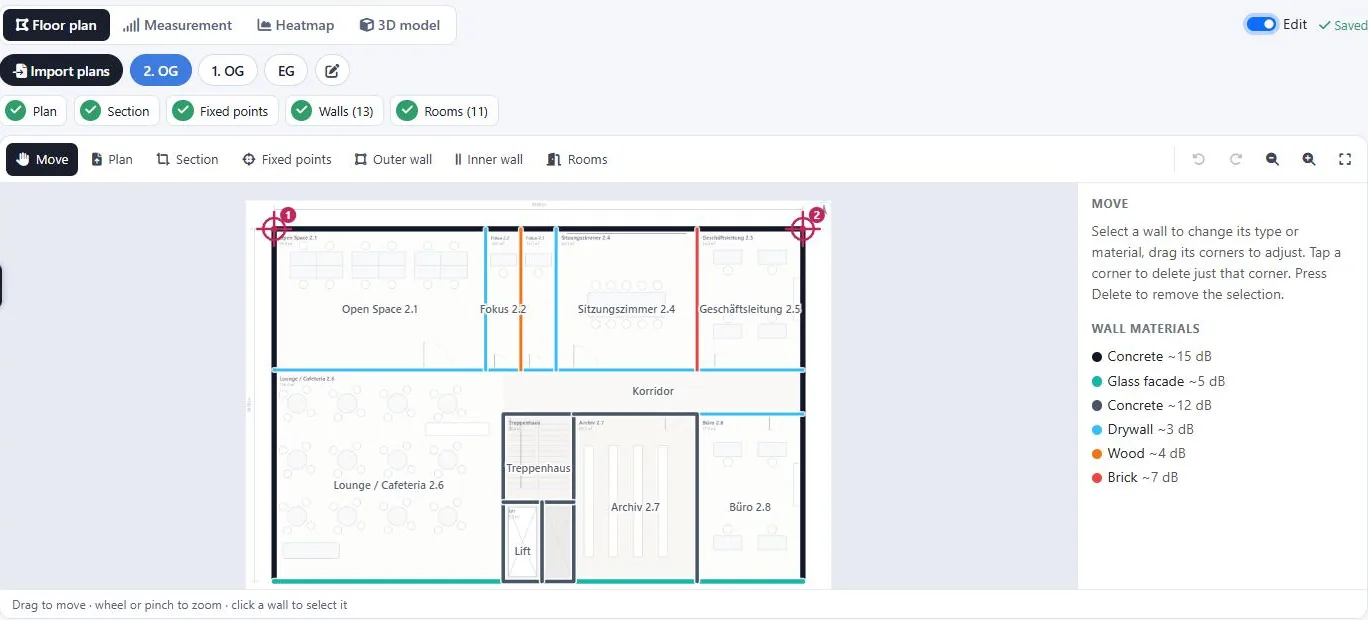
Drop the whole plan set — PDFs or photos. LoRaMapper assigns each page to its floor and sets crop, scale and alignment. The editor detects the outline; you add inner walls, rooms and materials in minutes.
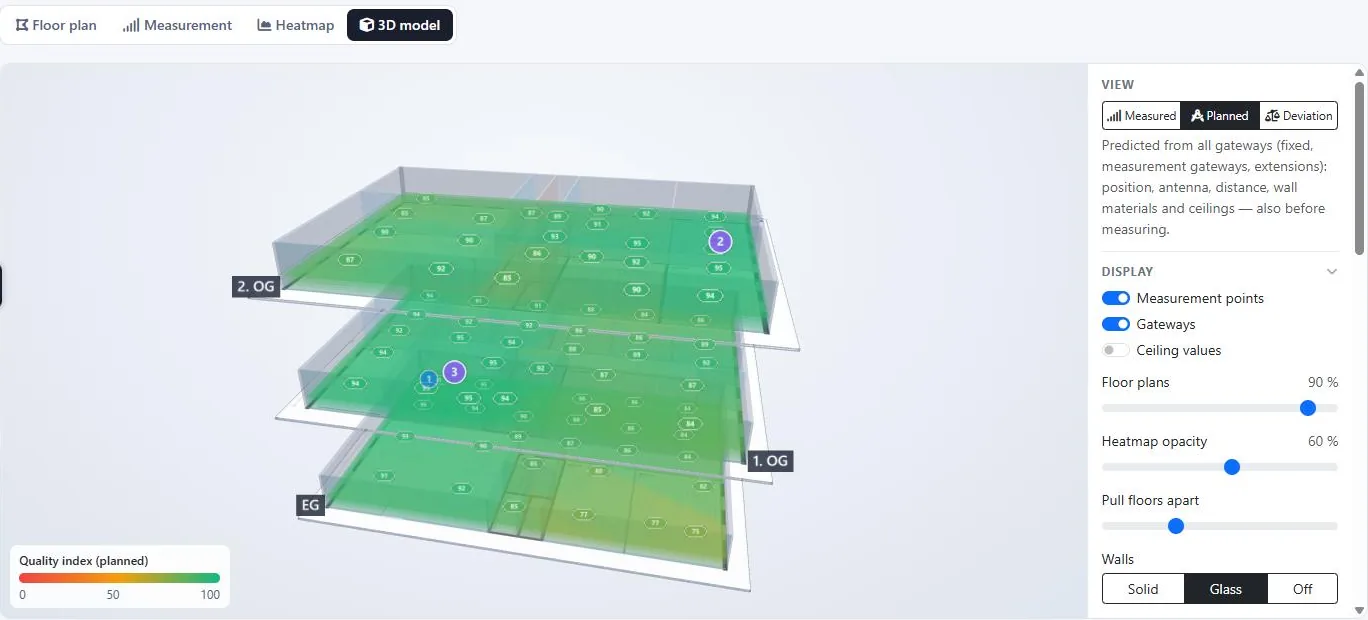
Place fixed and planned gateways. The prediction accounts for antenna, distance, wall materials and ceilings — so you see weak spots and the number of gateways needed before anyone is on site.
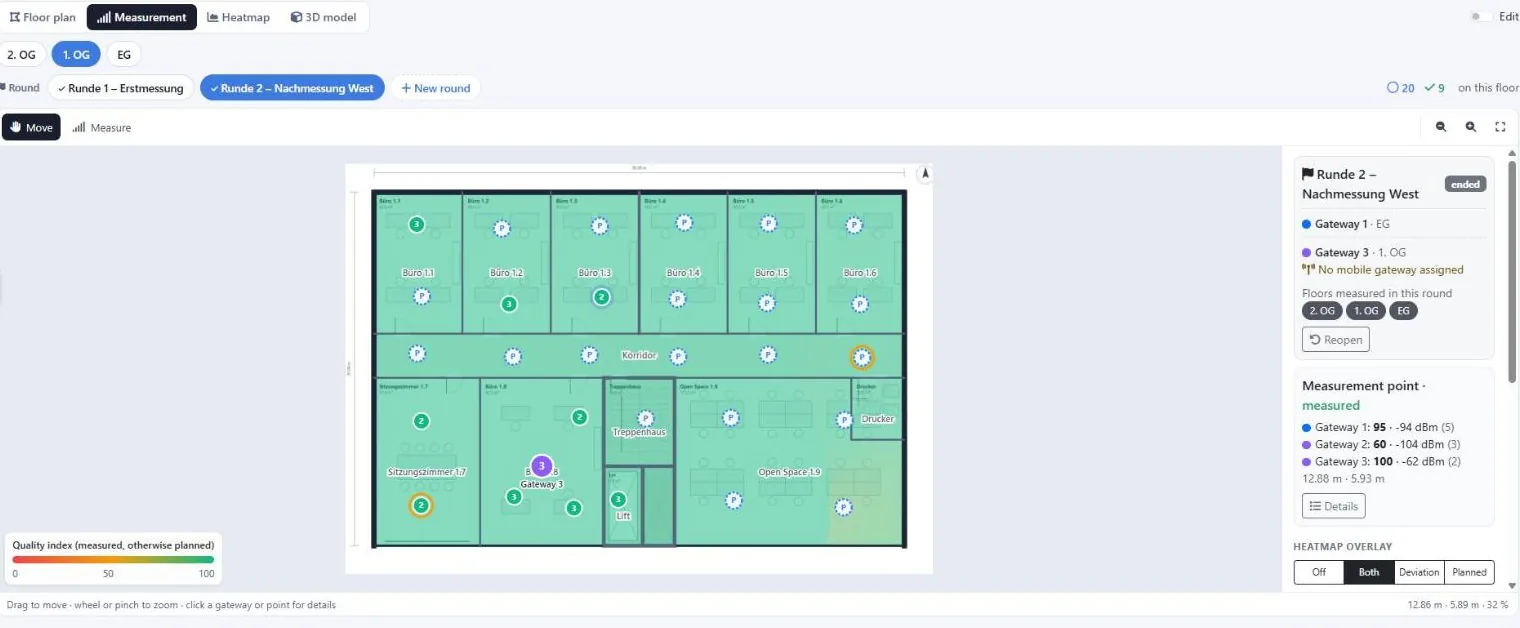
Organise measurement rounds with mobile or installed gateways. Several people measure at the same time; every uplink records RSSI, SNR and SF for each receiving gateway — live from your network server.
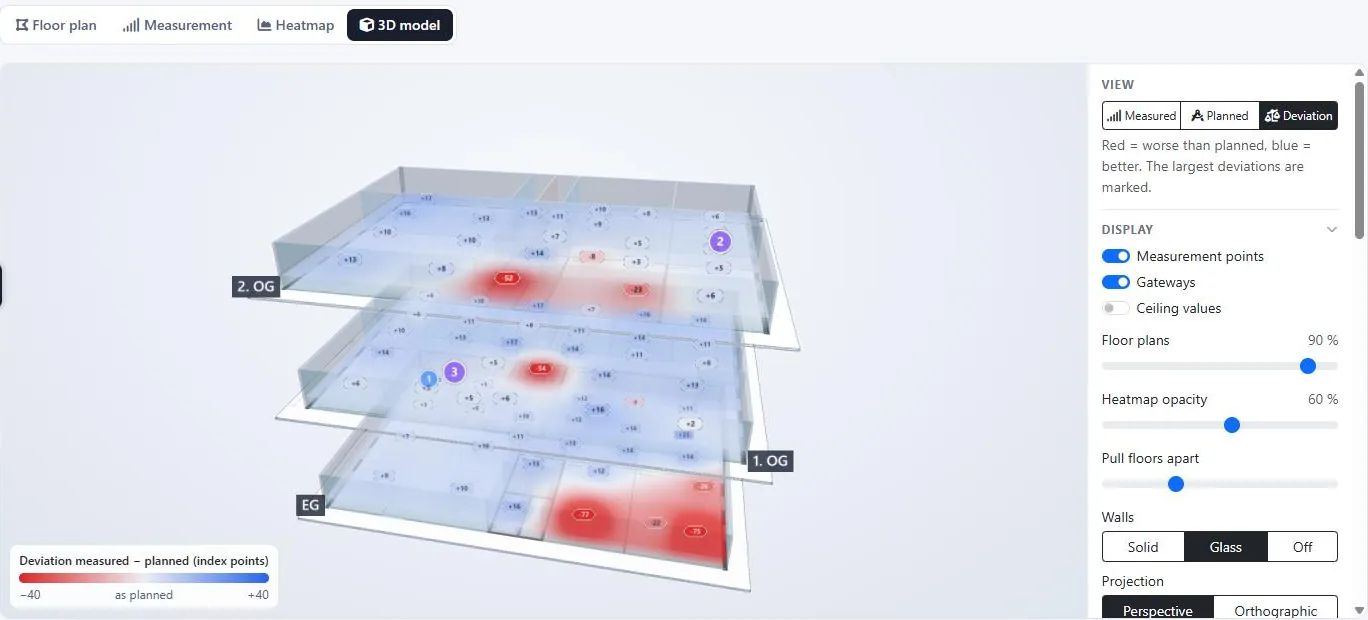
Compare measured against planned coverage: red marks where reality is worse, blue where it is better. Test extension gateways virtually — and the model learns wall and ceiling attenuation from your measurements.
The measurement shows weak rooms at the east end. One extension gateway in the corridor — and the predicted coverage closes the gap.
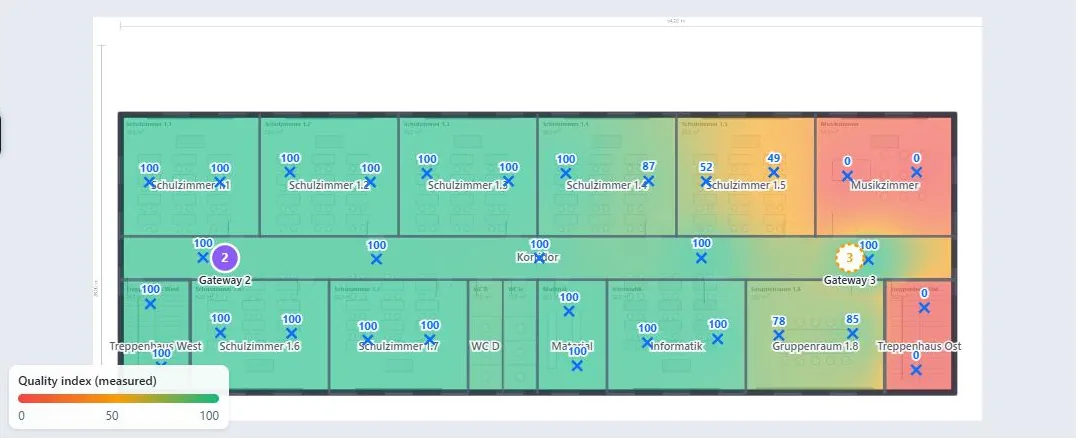
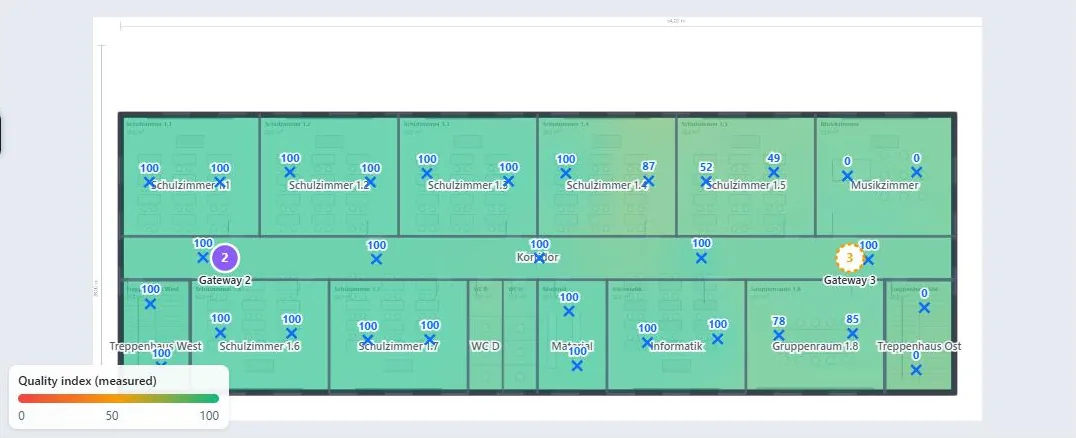
Indoors and outdoors, for a single building or a whole portfolio.
Drop the whole plan set — pages are assigned to floors automatically.
Outer and inner walls, rooms and materials — outline detected automatically.
See coverage before measuring — from walls, ceilings and antennas.
Add a virtual gateway and watch the gap close instantly.
Rounds with mobile gateways — several people measuring live.
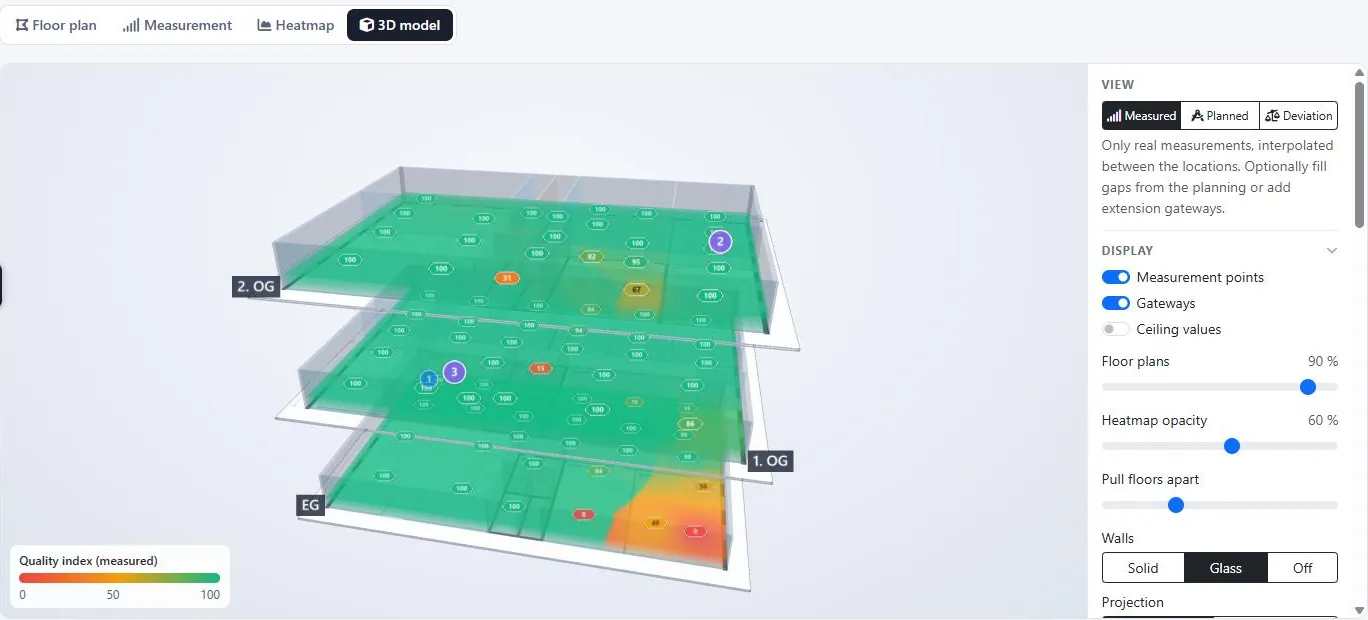
Switch between reality, prediction and their difference.
All floors stacked — pull them apart, check each gateway’s reach.
Coverage on a real map — terrain and building data included.
Organisations, roles and a dedicated measurement-helper role.
Model indoor coverage on floor plans, or outdoor coverage on a real map — whatever your project needs.
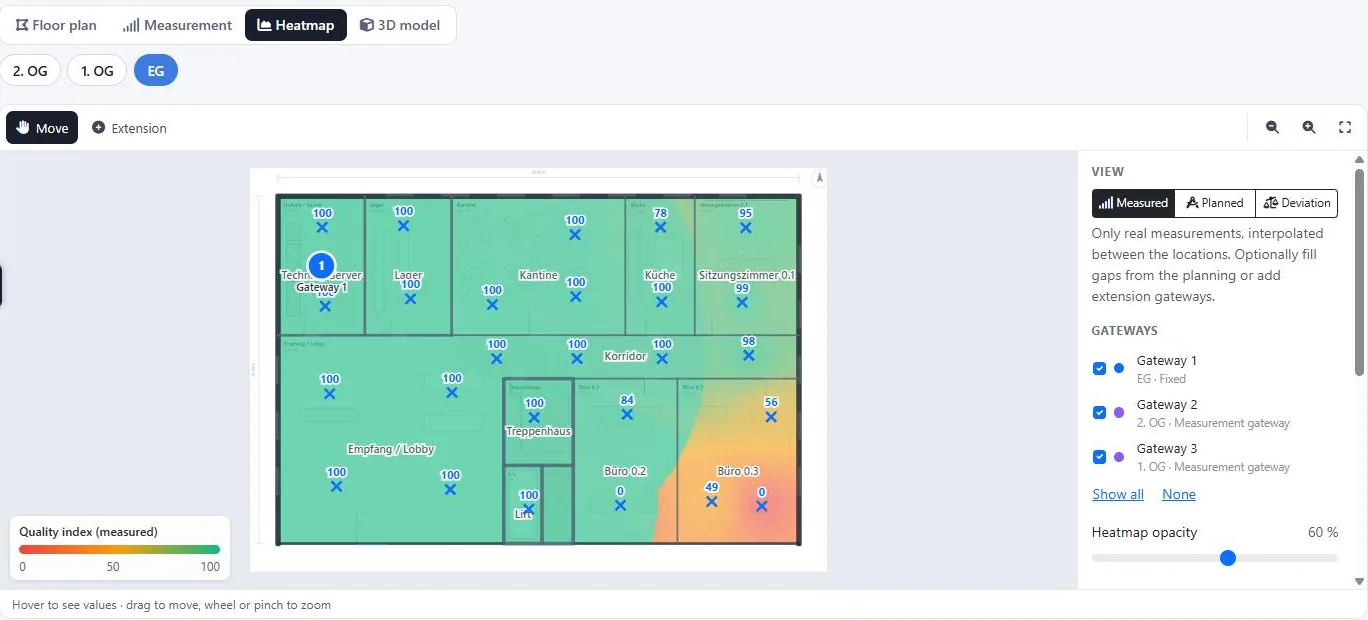
Import floor plans of one or more storeys, draw walls, place gateways and walk each floor. Ideal for offices, schools, warehouses, parking garages, hospitals and industrial sites.
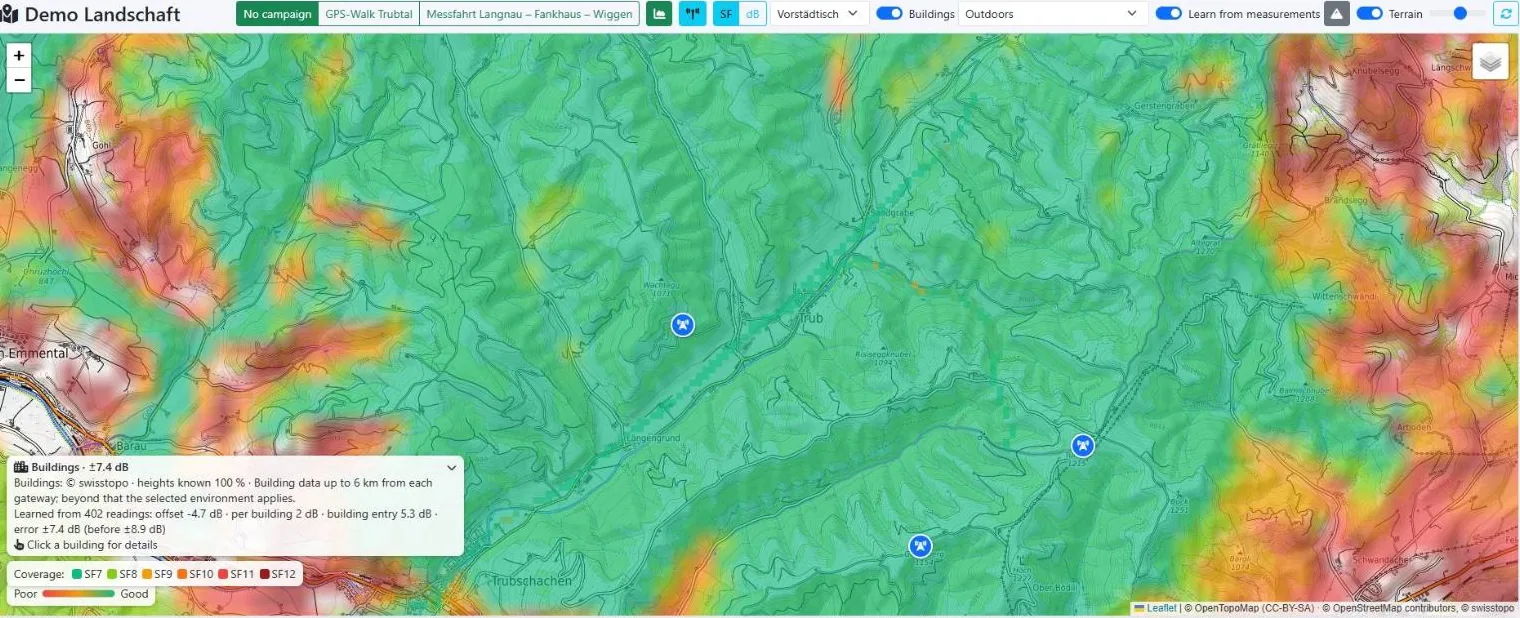
Work on a real map with GPS measurements, terrain and building data — for campuses, districts, agriculture or city-wide coverage.
A guided workflow: import a plan, place gateways, walk your site. Colours tell you instantly where coverage is good or weak — no RF knowledge needed.
Wall and ceiling attenuation per material, a self-calibrating prediction model, RSSI/SNR/SF per gateway and sample, a spreading-factor-aware quality index, deviation analysis and live network-server ingest.
Three things — that’s it. LoRaMapper ties them together.
A field tester or a simple LoRaWAN button that sends uplinks as you walk. Its RSSI/SNR at each point, as received by every gateway, is what LoRaMapper maps.
One or more LoRaWAN gateways — either a portable test gateway you carry, or the fixed gateways you already have on site.
A LoRaWAN Network Server that forwards uplinks to LoRaMapper via webhook — e.g. TTN, ChirpStack, Loriot or Actility. Minimal setup: one HTTP integration.
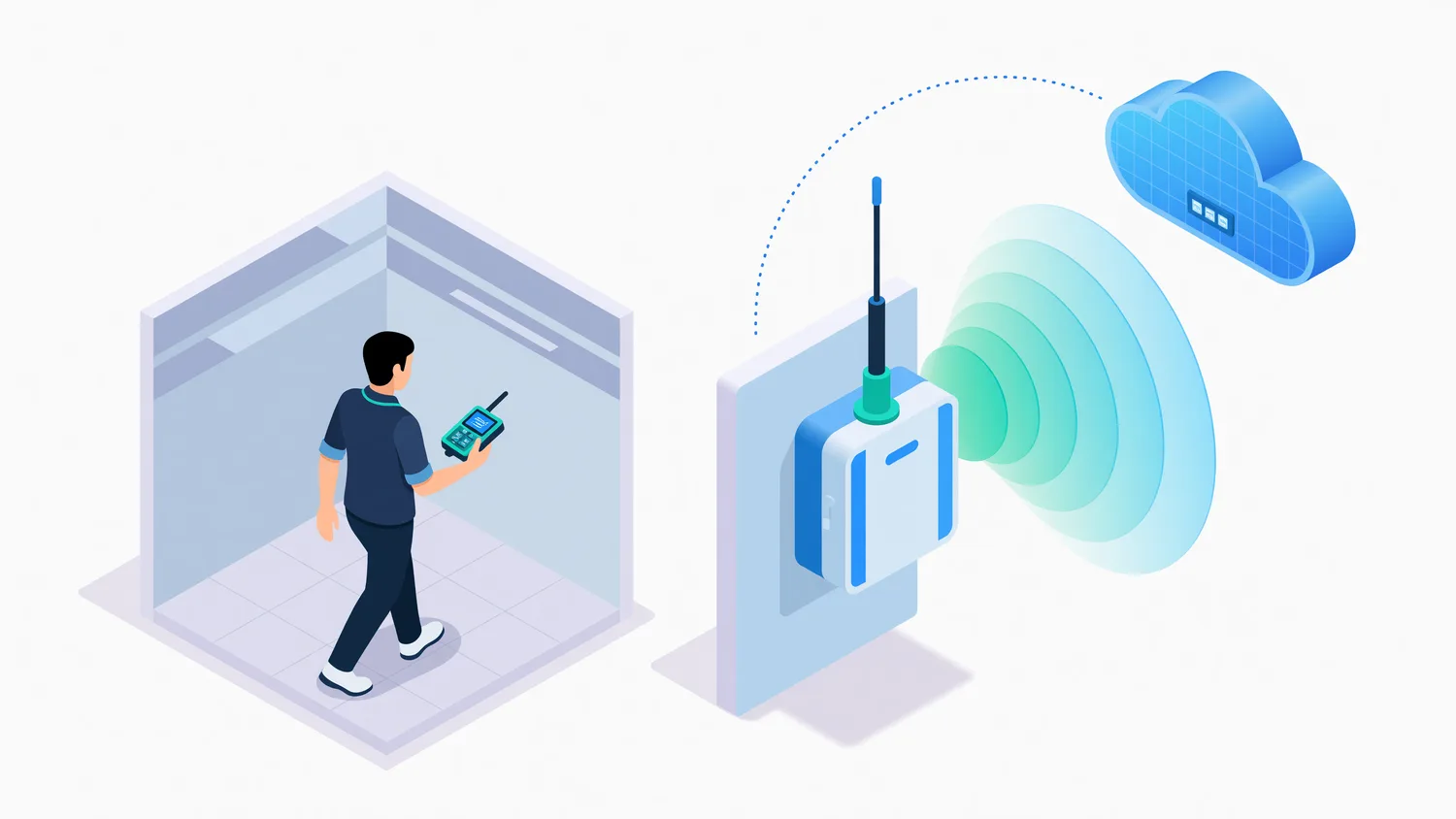
Test with a portable gateway, or measure against the gateways already installed.
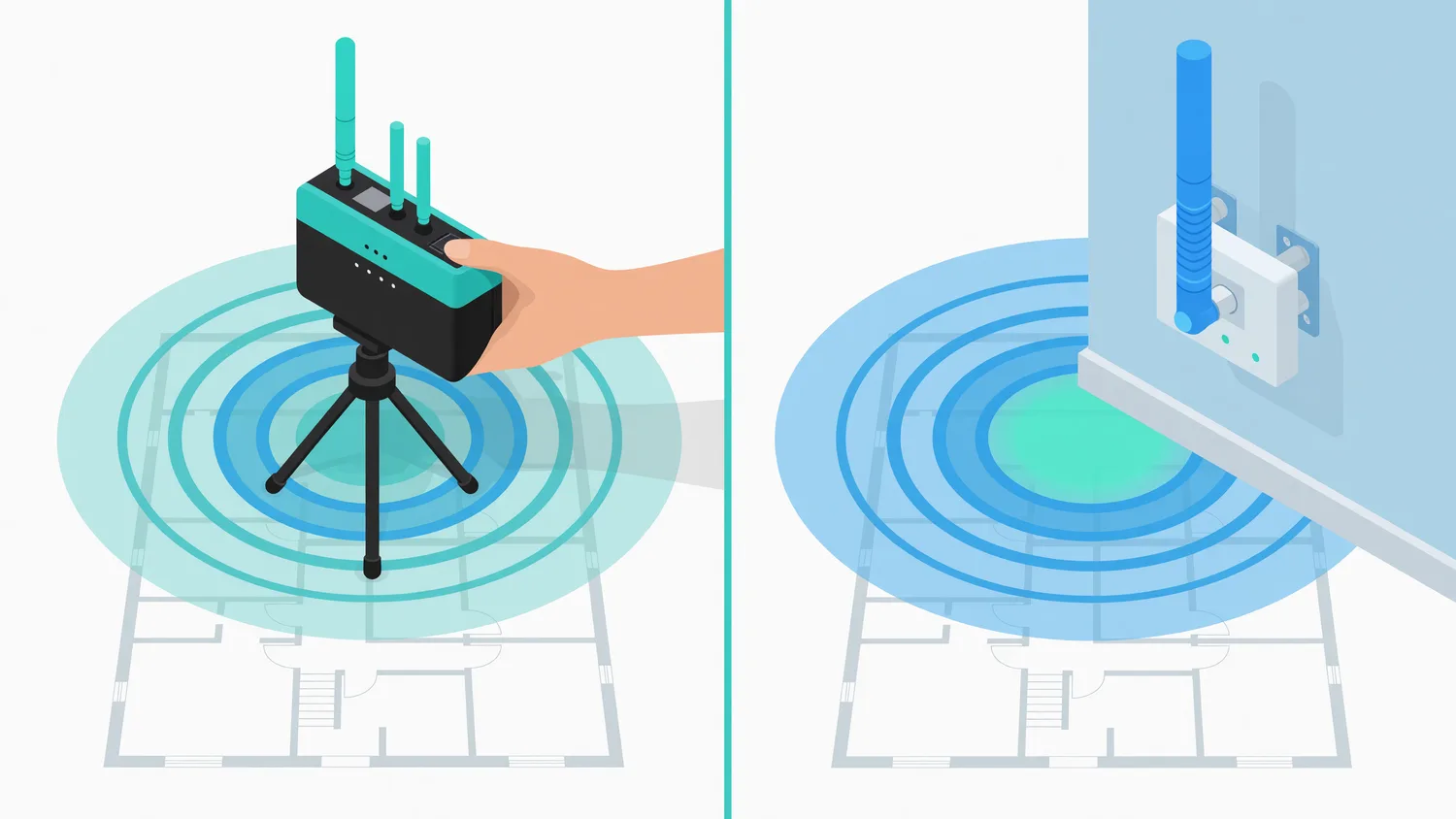
Carry a portable, battery-powered gateway to the spot you want to cover and measure right there — perfect for planning a new deployment before any hardware is mounted.
Already have gateways installed? Walk the site with just a field tester and measure real coverage against your live gateways — LoRaMapper records which gateway received each point.
Create an account and plan your first site in minutes.